Terrain Intelligence & Location Profile for Your Property or Site
High-performance REST API and MCP server delivering elevation, slope statistics, composite terrain maps
(including contours) and 3-D
visualisations. Every location is analysed at three zoom levels — site, neighbourhood and wide
area.
Built for people who weigh up locations every day — real estate and
property-information professionals, insurance & risk analysts, asset
managers and disaster & emergency management teams. Screen a listing’s slope before
inspection, profile the terrain around an exposure, or flag flood- and landslide-prone landforms across a
portfolio — handy property location intelligence, right at your fingertips.
AI-native via MCP for Claude, GPT, VS Code, Gemini and modern agents. Ask "What is the slope at this address?" in
plain English — the AI calls the right tool for you.
From a single suburban house to the surrounding terrain: every property or site is examined at
three nested scales, each backed by its own family of endpoints. Zoom out from the front door to the landform it
sits on.
↔ swipe the diagram to explore all three levels
A typical suburban property, analysed at three nested extents. Each dashed frame on the
right marks the previous level's footprint.
1
Site
Single-pixel elevation at the property itself — 5 m resolution, <30 ms, batchable to 100 points.
2
Neighbourhood
Min/Avg/Max elevation & slope over 3×3, 5×5 and 7×7 pixel windows (e.g. ~15–35 m on 5 m data) around the site.
3
Wide Area
Full cartographic production — satellite + contour composites and 3-D surfaces over a configurable
radius.
Coverage by country
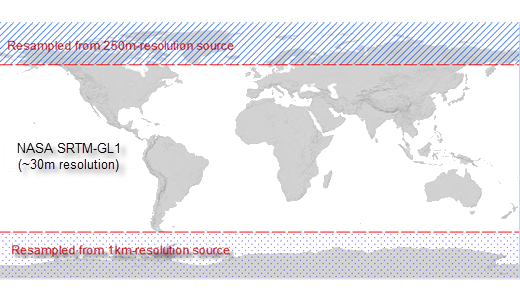
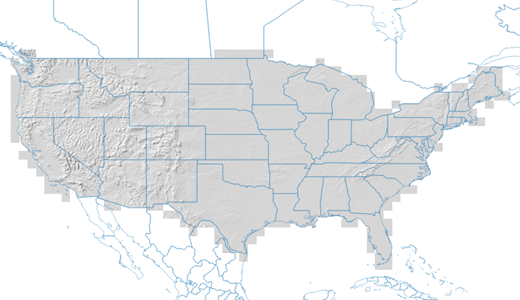
world NASA SRTM ● Live · 30 m🇺🇸 United States ● Live · 10 m🇦🇺 Australia ● Live · 5 m🇳🇿 New Zealand ● Live · 5 mother countries or regions ⧖ Expanding
New regions onboard as required — same API, same three levels, new dataset
IDs. Need a delivery service for a region not listed? Let us know.
Available Datasets
What's in the catalogue
Multi-country: (1) Open-source government elevation datasets from 1m to 5m to 30m resolution (data licences). (2) Hazard & risk data layers (planned).
🗄 Proven at very large scale: this catalogue already serves multi-hundred-gigabyte rasters in production — including the ~380 GB CONUS NED 1/3
arc-second and ~120 GB NASA SRTM-GL1 mosaics. Have a large elevation or raster dataset of your own? We’d welcome the opportunity to host it — same API, same three analysis levels, and your own dataset ID.
API Architecture
Elevation Service: Three Levels of Terrain Intelligence
Multi-level API calls: Level 1 single-pixel access is free; unique Level 2 and 3 analysis endpoints require a Pro key. Location Profile (LP) endpoint supports GET and POST.
1
Pixel-Level Extraction Free
Single-pixel elevation from any coordinate (in latitude/longitude), applicable to all data sources.
Batch up to 100 points per call.
GETPOST
/lp/elevation
Elevation (m) at one lat/lon
POST
/lp/elevation/batch
Up to 100 points per call
2
Close Neighbourhood Analysis Pro
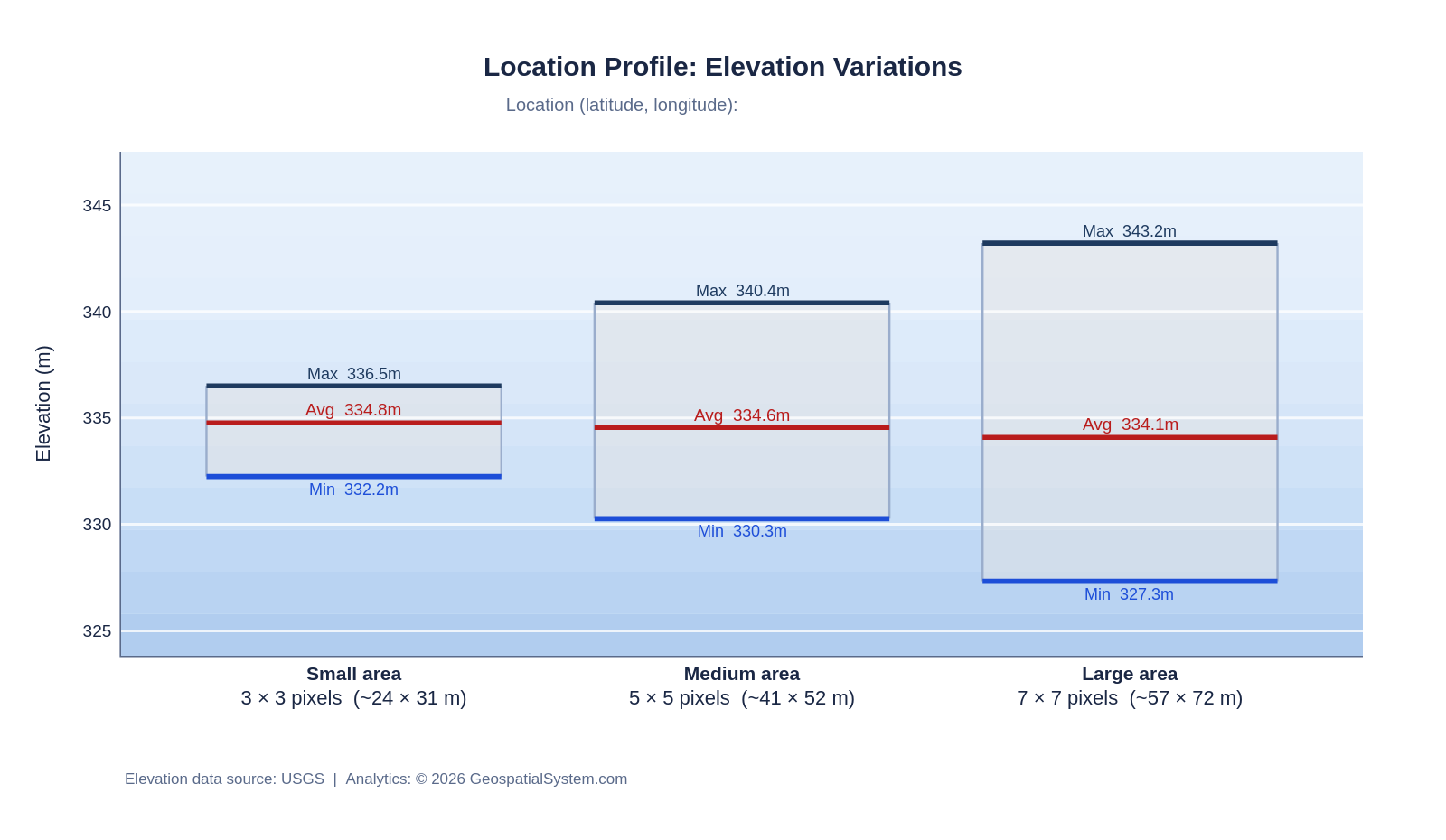
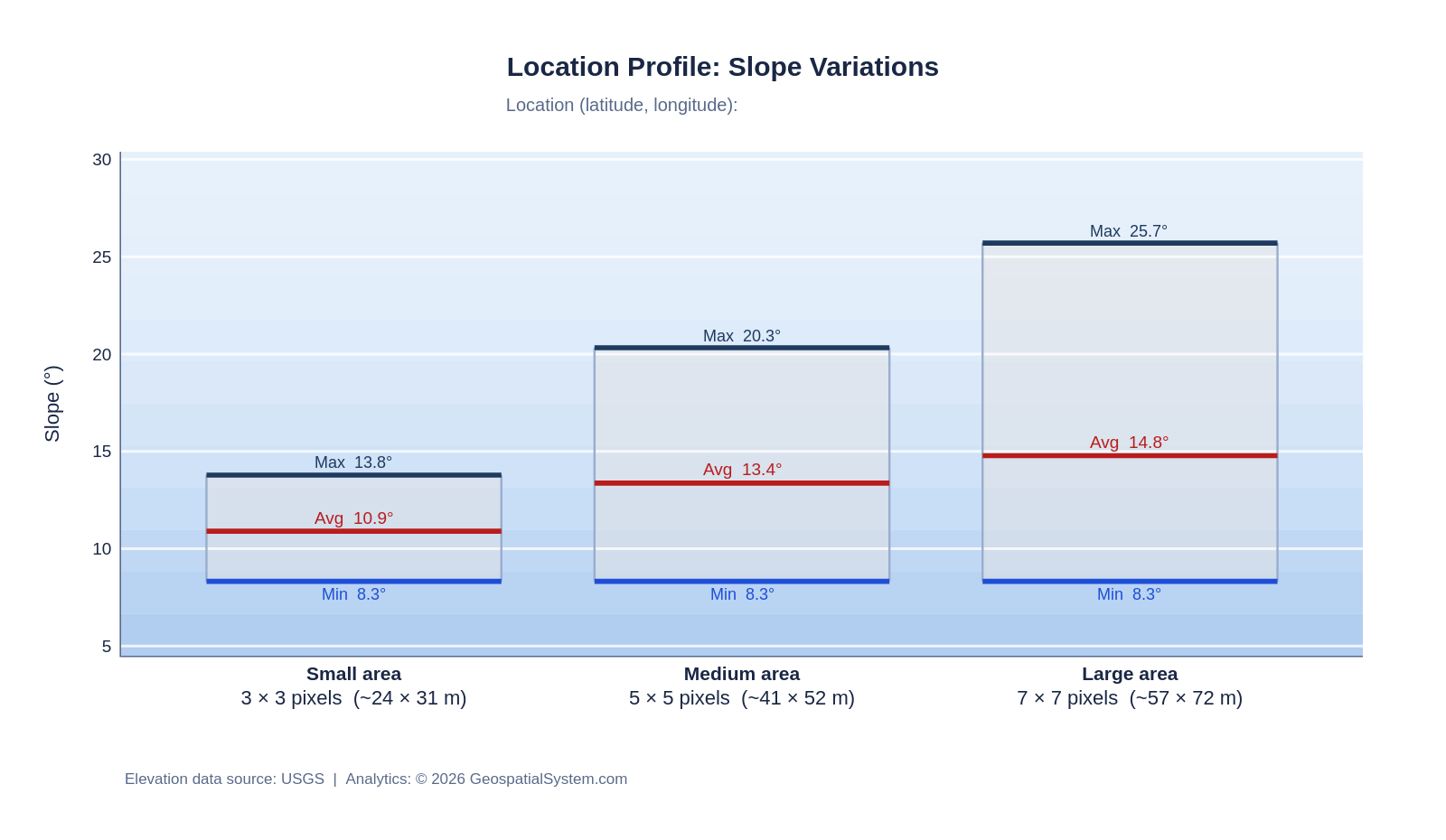
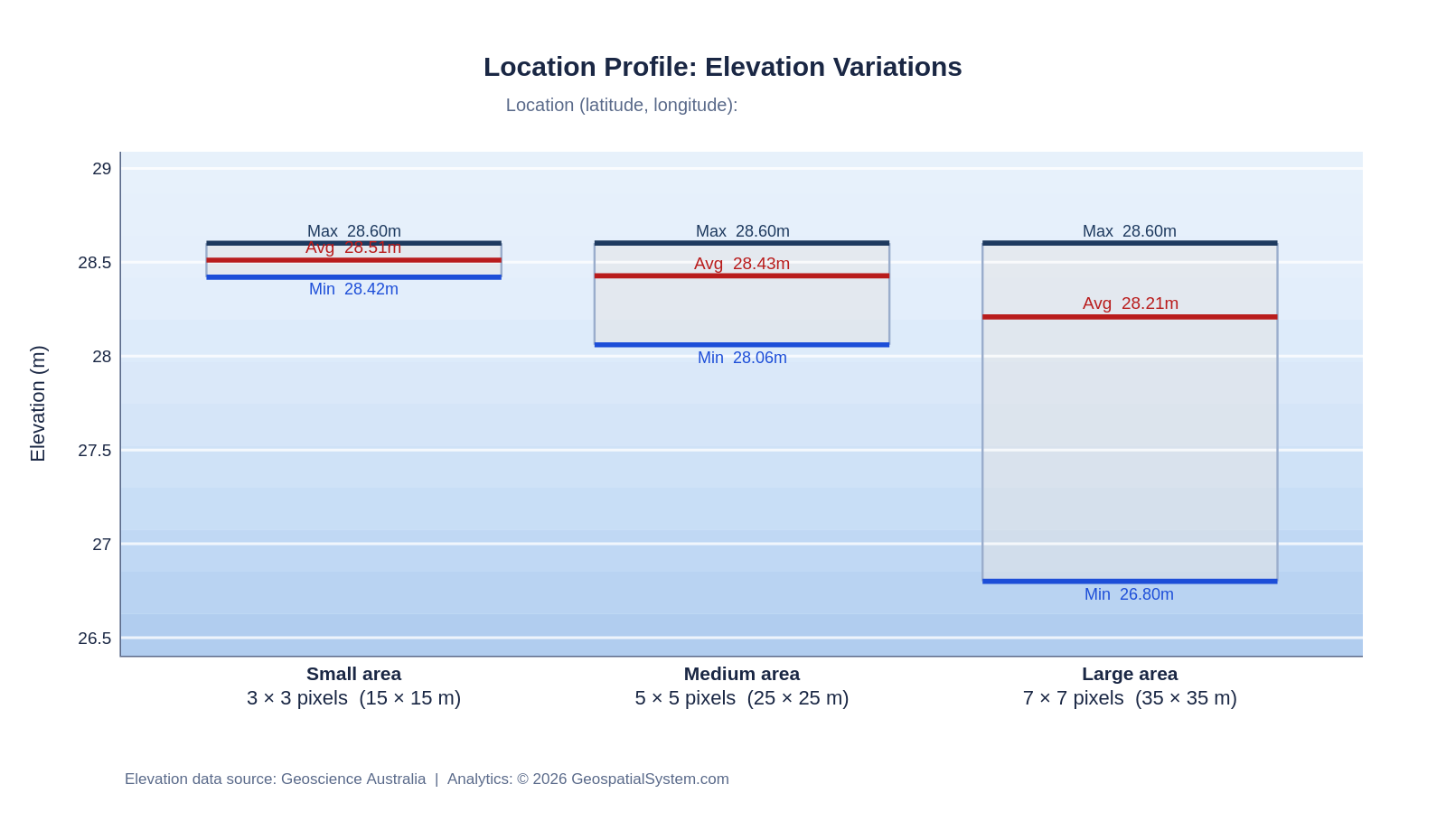
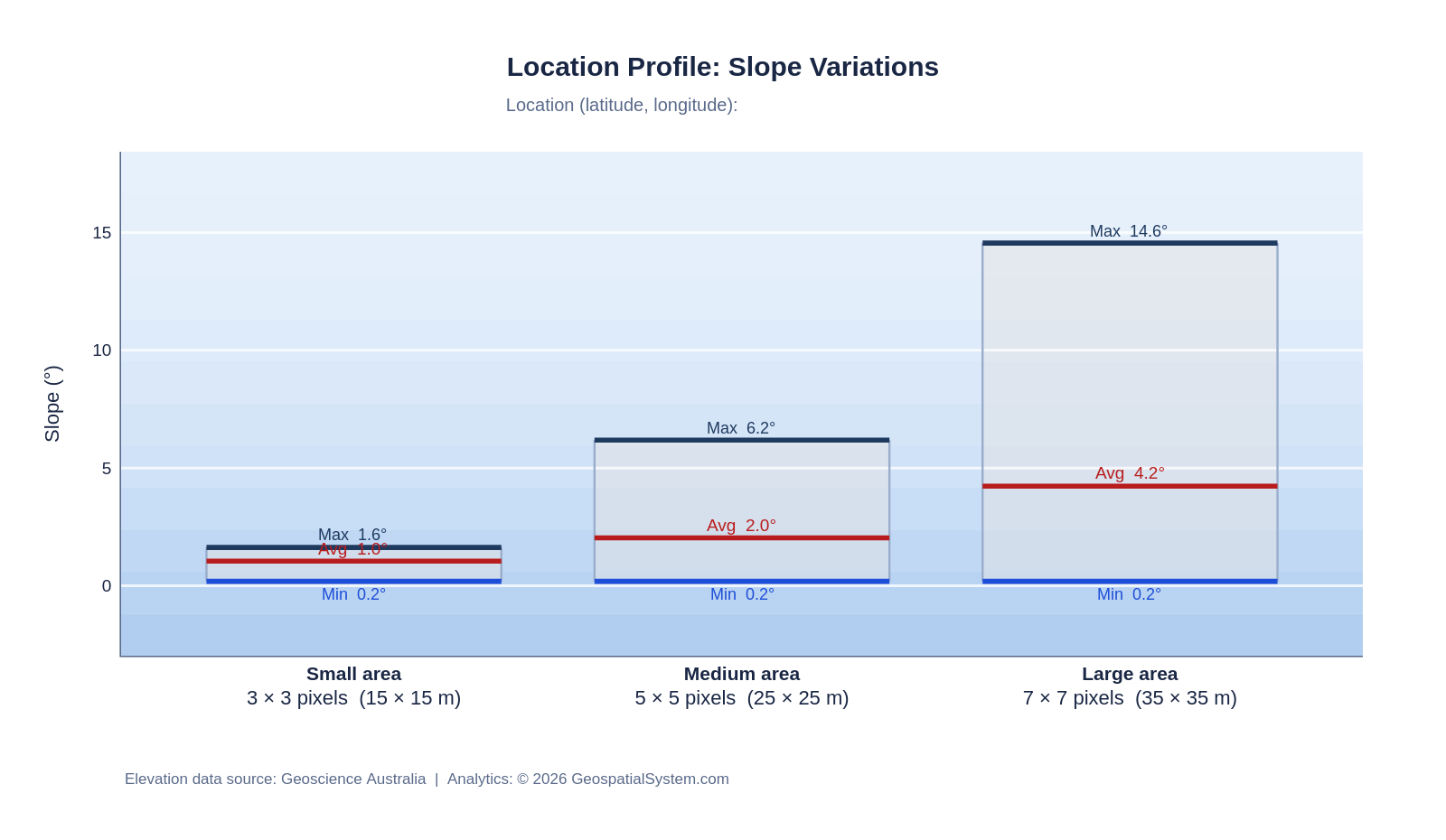
Min/Avg/Max elevation and slope across three window sizes — 3×3, 5×5 and 7×7 pixels (ground size scales with dataset resolution — e.g. 15 m, 25 m, 35 m on a 5 m DTM).
Charts export PNG / SVG / PDF. Data source is acknowledged on each chart.
GETPOST
/lp/elevation_stats
Elevation Min/Avg/Max, 3 window sizes
GETPOST
/lp/slope_stats
Slope (°) Min/Avg/Max, 3 window sizes
GETPOST
/lp/elevation_chart
Range-box chart URL · PNG/SVG/PDF
GETPOST
/lp/slope_chart
Slope range-box chart URL · PNG/SVG/PDF
3
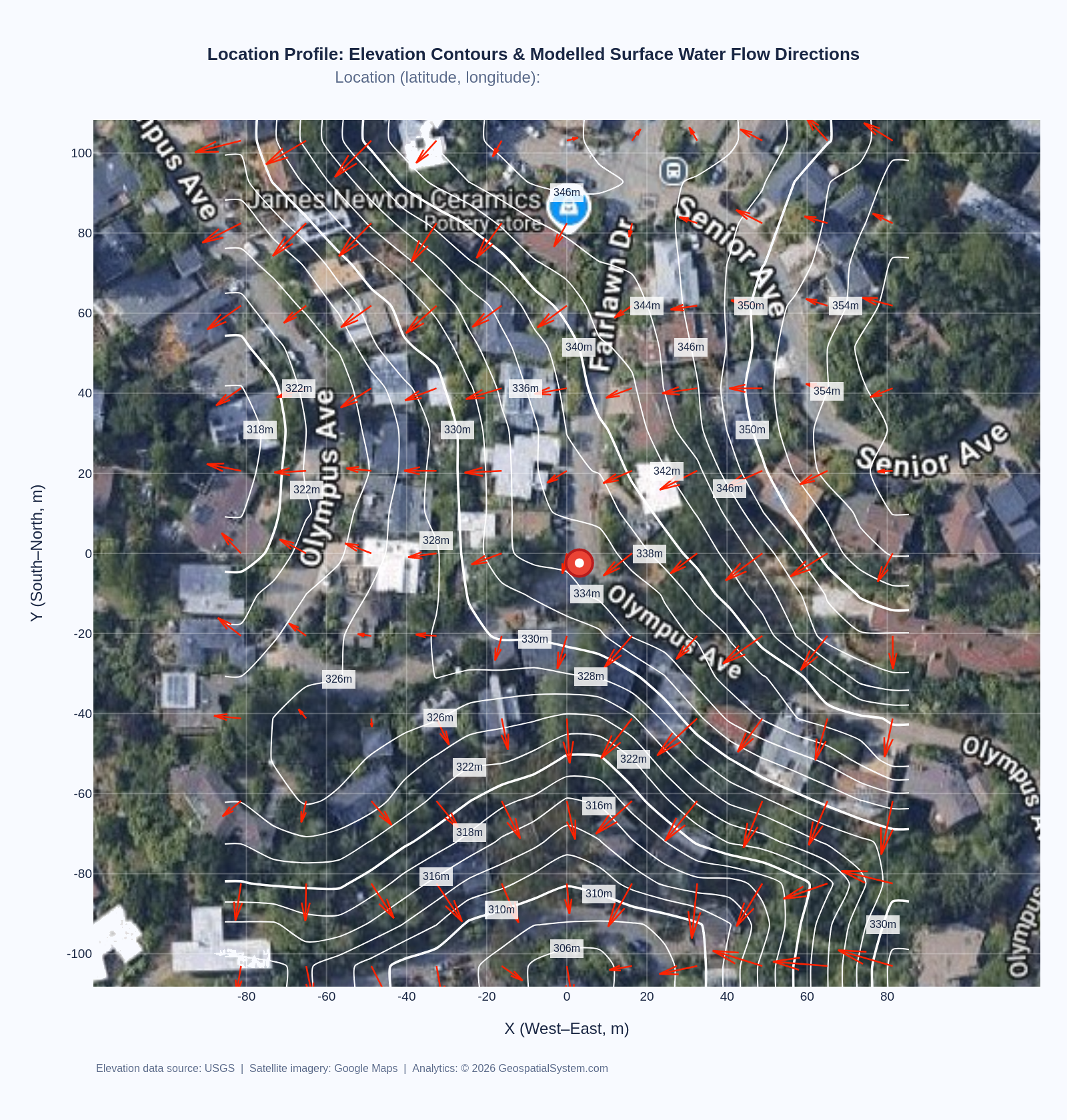
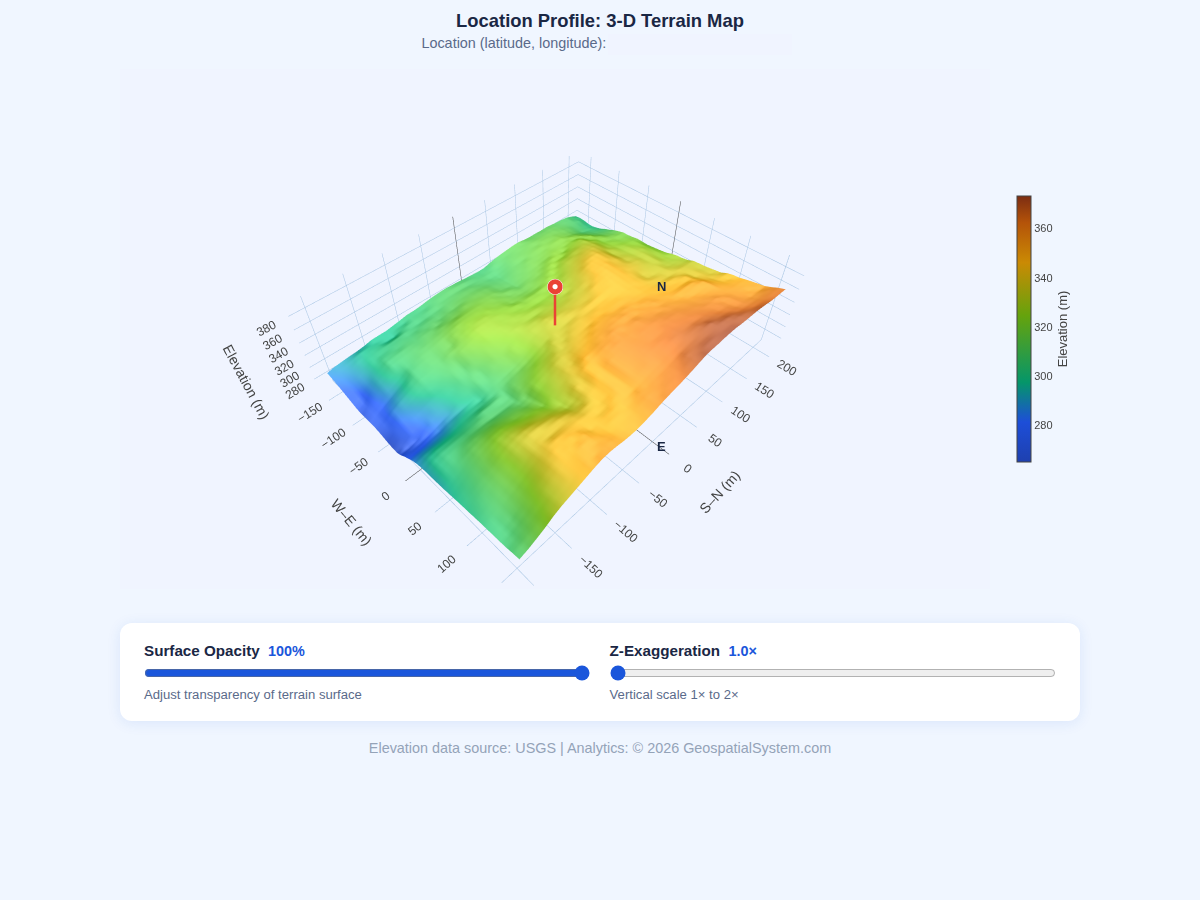
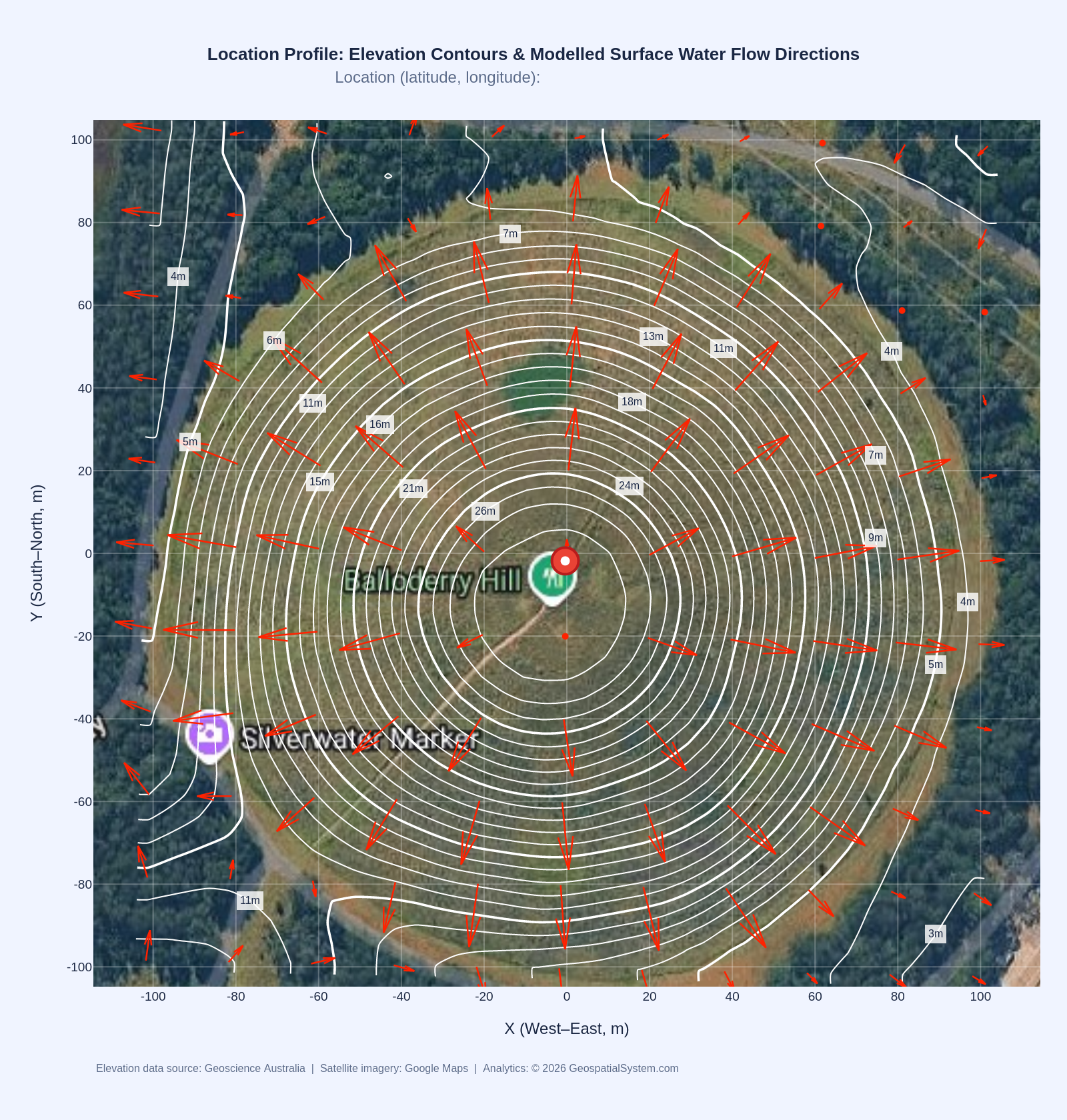
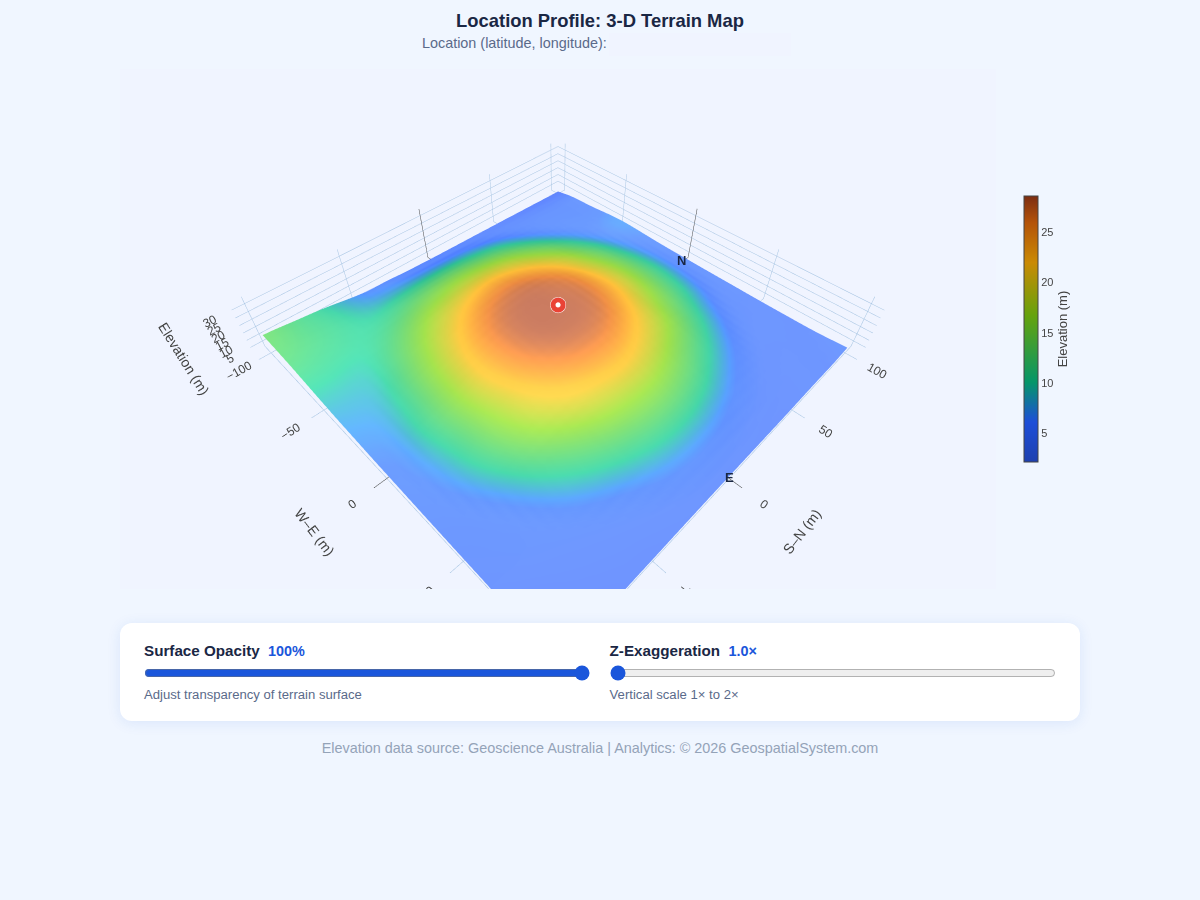
Area Terrain Mapping Pro
Full cartographic production over a configurable pixel radius. Google Hybrid satellite background in
EPSG:3857 with reprojected contours (no overlay mismatch). 3-D surface map exports PNG or interactive
HTML. All outputs include source attribution.
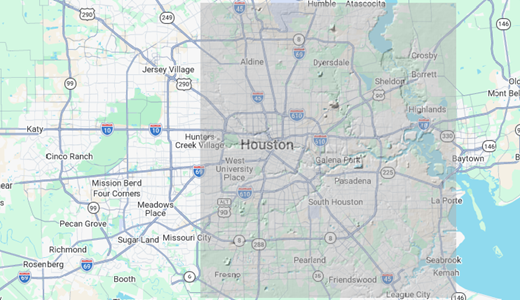
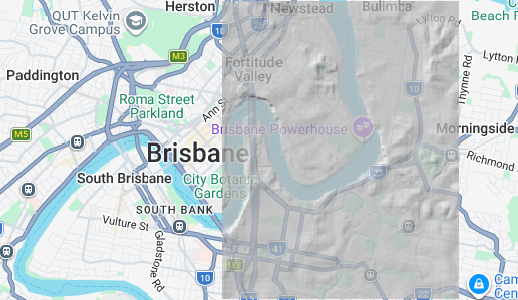
Demo renders of the four visual endpoints - the US and Australian examples. Right-click or tap any example to view it full-size in a pop-up. View /lp/terrain_3d outputs as interactive html as well:
demo1 | demo2 | demo3
MCP — 8 Tools Ready for Claude, GPT, VS Code, Gemini & Modern Agents
Terrain intelligence at your fingertips. Whether you work interactively in a chat window or fully automated through agents, scripts and pipelines — you are three small steps from your first AI terrain query.
1
Get a key
Request a free trial key — it lands in your inbox within minutes. No credit card, no account, and Level 1 queries are free.
→
2
Simple installation
Pick your client below — Claude, VS Code, ChatGPT, Gemini, etc. — refer to the demo (slides) or copy the snippet below, drop in your key, restart. Under 2 minutes, no code, no SDK.
→
3
Ask in plain English
"What’s the slope at this address?" — ask interactively in chat, or wire the same tools into automated agent workflows and batch pipelines. The AI picks the right tool every time.
AI-native via MCP for Claude, GPT, VS Code, Gemini and modern agents.
Every Location Profile (LP) endpoint is exposed as a named MCP tool. Any AI client that supports the Model Context Protocol (MCP) can call Geospatial System directly — no code, no SDK, no server to run. You connect to the MCP endpoint or add one JSON block to your client config, paste your API key, restart, and your AI assistant gains real-time access to various country-level high-resolution elevation data.
Ask questions like "What is the elevation and terrain slope at my home address?" or "Which of these 50 property coordinates has the steepest average slope — batch query" — and the agent selects the right tool, calls the API, and returns a formatted answer. For Pro users, it can also generate and return URLs to elevation charts, slope charts, composite satellite terrain maps including contours and modelled surface water flow directions, and interactive 3-D surfaces (HTML), all inline in the conversation.
The security model is key-forward: your X-API-Key travels from your client config to the MCP server and then to API on each request. It is never stored server-side. Free-tier keys unlock LP_Get_Elevation, LP_Get_Elevation_Batch, and list_datasets — perfect for evaluating the platform. Pro keys unlock all 8 tools including Level 2 neighbourhood analysis and Level 3 area mapping.
MCP is supported natively in Claude Desktop, Claude Code, VS Code (GitHub Copilot agent mode, Cline, Continue, etc.), ChatGPT / Codex and Gemini / Antigravity, Cursor, Windsurf, Zed, and any agent that accepts a streamable HTTP MCP server URL.
Configuration examples for all major clients (Claude, Codex, VS Code and Antigravity) are shown in these SLIDES and below — each takes under 2 minutes to set up.
"Elevation and slope at -30.0, 150.0?""Batch query 20 property coordinates.""3-D terrain map as HTML for this site.""Which 5 sites in this list have slope >5°?""Show me both elevation & slope charts PNG for this spot.""Show me terrain map including contours for this address.""Include all charts & maps for a location profile report."
Pricing
Simple, Transparent Pricing
Start free — no price tags, no credit card. As your API usage grows, upgrade to the tier that matches your call volume. Free covers Level 1 pixel queries; Pro unlocks charts, maps and terrain analysis.
📈 How upgrades work: start on the free tier and watch your usage. When you need Level 2/3 analysis or a higher call volume, send an upgrade request through the enquiry form — we size your plan to your actual API usage, so you never pay for capacity you don’t use.
Get Started
Request API Access
Get a free trial key instantly — no credit card needed. For dedicated Pro
access, enterprise arrangements, or custom datasets, use the enquiry form.
// Free trial key
Try Level 1 + 2 + 3 free
An active API key allowing for 50 free Level 2 + 3 calls sent directly to your inbox (check spam folder if needed). Level 1 up to 500 calls is free on top. No credit card, no account — your key arrives in minutes.
⚡ 500 free calls — L1⚡ 50 free calls — L2 + L3✉ Key sent by email only🔒 No credit card
Your key is sent here and never shown on-screen. One key per email address.
One key per email · rate-limited by IP · key is never shown on this page.
 US - CONUS
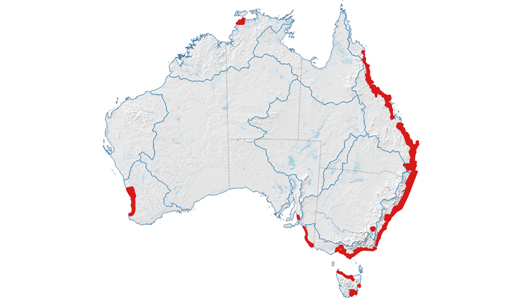 AU
AU
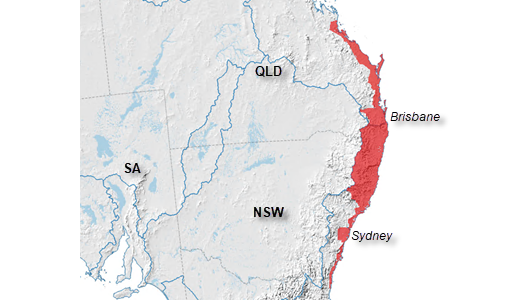
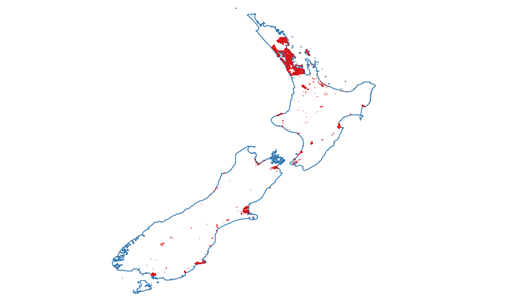 NZ
NZ